 Freezon
How to Make an Airport Pickup Sign on iPhone or iPad
Turn your iPhone or iPad into an easy-to-read airport pickup sign. Set up a static name display, preview it, and show it full screen.
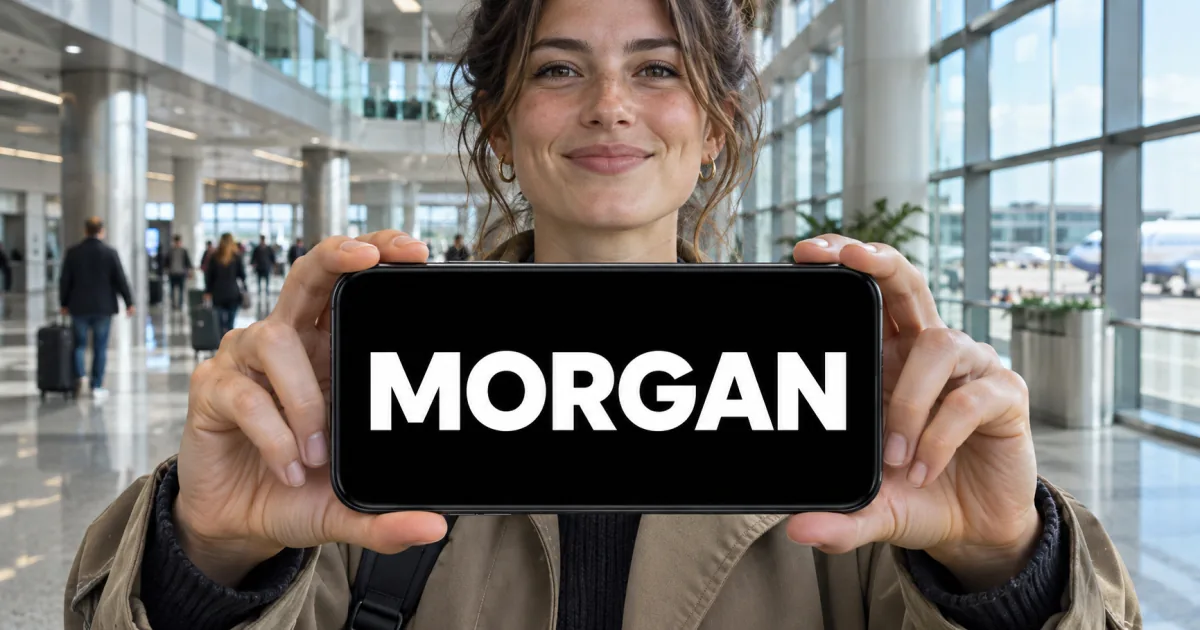
To create a clean airport pickup sign, open “Freezon Banner” on your iPhone or iPad, type a short surname like MORGAN, use large lettering, and choose light text on a dark background. Keeping the text static and displaying it full screen helps keep your sign clear and easy to read without distracting scrolling animations.
When travelers stream through the arrivals gate into a crowded terminal, holding up a bright digital name board helps your guest spot you amidst the sea of scrawled paper signs.
Why Static Landscape Signs Work Best
When passengers enter arrivals, their eyes scan the crowd rapidly. A landscape, single-screen static banner is much easier to read at a glance than moving or blinking text.
Rotating your device to landscape maximizes horizontal space, letting letters scale as large as possible. In Freezon Banner, single-screen static mode keeps your lettering steady and sharp. The automatic text size feature dynamically expands your text to fill the screen without manual guesswork. Because single-screen static, the system font, and the standard effect are free, you get a clean sign without in-app purchases.
Setting Up Your Sign in Freezon Banner
Setting up a high-visibility sign takes only a few taps:
- Open Freezon Banner on your iPhone or iPad.
- In the text editor, choose single-screen static.
- Keep the standard effect and default system font for maximum legibility.
- Select a high-contrast palette, such as crisp white text on a solid black background. Solid contrast cuts through bright airport lighting far better than colorful gradients.
- Select automatic text size so the app expands the letters to fill your display.
Formatting Your Text: MORGAN vs. WELCOME / MORGAN
At the airport, brevity ensures readability. The fewer letters you enter, the larger they appear.
For a single-line sign, entering MORGAN lets the app enlarge the name to maximum scale, easily readable from across the hall.
If you prefer a polite greeting, add a line break to create a two-line sign:
Adding a second line cuts letter height roughly in half. To keep the sign legible, omit flight numbers, first names, honorifics like "Mr." or "Dr.", and greetings like "Safe Travels". If a name is especially long, there is no guarantee every letter will fit at huge sizes; you can shorten it, split it across lines, or manually resize it.
- Line 1: WELCOME
- Line 2: MORGAN
Checking the Preview and Going Full Screen
Never wait until your guest steps through customs to test your sign. Freezon Banner provides a live preview above the editor so you can review your design in advance.
Before joining the arrivals crowd:
- Check the live preview to verify spelling, line breaks, and contrast.
- Step back five paces or hold the device at arm's length. If you cannot read the name instantly, shorten the wording.
- Tap full-screen display. On iPhone, full-screen text auto-rotates to landscape by default.
- Hold your device steady. Freezon Banner automatically keeps the screen awake while displayed in the foreground, ensuring your sign never dims or locks while waiting.
Choosing Your Device and When to Use Scrolling
Deciding between iPhone and iPad depends on crowd size and convenience:
While static mode works best for quick recognition, scrolling text is a better choice if you must display an exceptionally long surname or include both a company name and a passenger's full name. Scrolling keeps long phrases readable without shrinking the text into tiny, unreadable letters.
- iPhone: Compact and portable. It slips into your pocket between flights and works wonderfully for light crowds.
- iPad: The best option for peak arrival times. Its expansive screen acts like a bright beacon visible over heads in dense crowds.
Frequently Asked Questions
Will my screen turn off while waiting at arrivals? No. Freezon Banner keeps the screen awake while the sign is displayed in the foreground, keeping your sign lit until your guest arrives.
What should I do if a long name looks too small? Shorten it to just the surname, split it across lines with a line break, or switch to scrolling mode if preserving every word is necessary.
